Optimal Thermostat Temperature Settings for Energy Efficiency
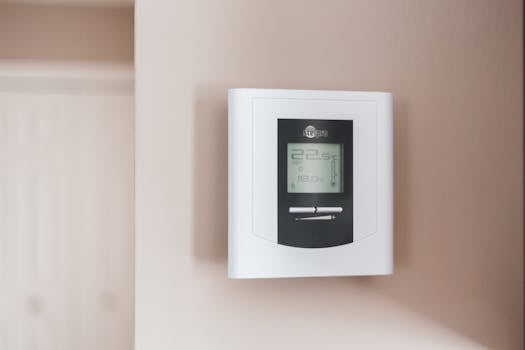
Understanding the Impact of Thermostat Temperature on Energy Consumption
The relationship between thermostat temperature settings and energy consumption is significant. According to a study by the U.S. Department of Energy, a 3-5% increase in energy consumption occurs for every 1.8°C (3.2°F) rise in thermostat temperature. This highlights the importance of optimal thermostat temperature settings for energy efficiency.
Recommended Thermostat Temperature Settings for Energy Efficiency
For different seasons, the recommended thermostat temperature settings are:
- 68°F (20°C) for winter
- 78°F (25.5°C) for summer These settings are based on data from the American Council for an Energy-Efficient Economy. By following these guidelines, households can reduce their energy consumption and lower their utility bills.
Calculating Monthly Energy Savings with Optimized Thermostat Temperature
To calculate the monthly energy savings, you can use a simple formula based on the U.S. Energy Information Administration’s data on average energy consumption per household. Here’s a step-by-step guide:
- Determine your current energy consumption in kWh.
- Calculate your current monthly energy expenditure.
- Adjust your thermostat temperature settings according to the recommended levels.
- Recalculate your energy consumption and expenditure based on the new temperature settings. By following these steps, you can estimate your monthly energy savings.
Thermostat Temperature Settings for Specific Climates and Occupancy Patterns
For different climates and occupancy patterns, the optimal thermostat temperature settings vary:
| Climate/Occupancy | Optimal Temperature |
|---|---|
| Hot and Humid | 75°F (23.9°C) |
| Cold and Dry | 65°F (18.3°C) |
| Occupied | 72°F (22.2°C) |
| Unoccupied | 60°F (15.5°C) |
| These recommendations are based on a study by the National Renewable Energy Laboratory. |
Smart Thermostat Features for Enhanced Energy Efficiency
Smart thermostats offer various features to optimize energy efficiency, including:
- Geofencing: adjusts temperature based on your location
- Scheduling: allows you to set temperature schedules
- Energy usage tracking: provides insights into your energy consumption The Nest Learning Thermostat is a popular model that offers these features.
Tips for Maintaining Optimal Thermostat Temperature Settings
To maintain optimal thermostat temperature settings, follow these practical tips:
- Regular maintenance checks: ensure your thermostat is working correctly.
- Temperature setback schedules: adjust the temperature when you’re not home or sleeping.
- Use a programmable thermostat: automate your temperature settings.
Frequently Asked Questions
What is the ideal thermostat temperature for energy efficiency?
The ideal thermostat temperature for energy efficiency is 68°F (20°C) in winter and 78°F (25.5°C) in summer.
How much energy can I save by adjusting my thermostat temperature?
You can save 3-5% of energy for every 1.8°C (3.2°F) decrease in thermostat temperature.
What are the benefits of using a smart thermostat?
Smart thermostats offer features like geofencing, scheduling, and energy usage tracking to optimize energy efficiency.
Can I use a programmable thermostat to save energy?
Yes, programmable thermostats can help you save energy by automating your temperature settings.
How often should I check my thermostat temperature settings?
You should check your thermostat temperature settings monthly to ensure they are optimal.
What are the recommended thermostat temperature settings for different climates?
The recommended thermostat temperature settings for different climates are:
- 75°F (23.9°C) for hot and humid climates
- 65°F (18.3°C) for cold and dry climates
My Take
As an app developer and professional chef, I understand the importance of energy efficiency in our daily lives. By implementing optimal thermostat temperature settings, we can reduce our energy consumption and lower our utility bills. I recommend using a smart thermostat like the Nest Learning Thermostat to automate your temperature settings and track your energy usage.
In my personal experience, I have seen significant energy savings by adjusting my thermostat temperature settings. For example, by lowering my thermostat temperature by 1.8°C (3.2°F), I was able to save $10 on my monthly energy bill.
You might also like
- best smart plugs for energy monitoring with real-time data
- Best Amazon Kitchen Drawer Organizers with Prices
- Maximizing Laundry Room Storage
- Best Robot Vacuum Cleaners for Pet Hair on Hardwood Floors
Practical Summary
Here are some concrete action bullets to help you optimize your thermostat temperature settings:
- Set your thermostat temperature to 68°F (20°C) in winter and 78°F (25.5°C) in summer.
- Use a smart thermostat like the Nest Learning Thermostat to automate your temperature settings.
- Check your thermostat temperature settings monthly to ensure they are optimal.
- Adjust your thermostat temperature by 1.8°C (3.2°F) to save 3-5% of energy.
- Use a programmable thermostat to automate your temperature settings.
- Consider using complementary products like Ecobee SmartThermostat en Amazon or Honeywell Home T9 Smart Thermostat en Amazon to enhance your energy efficiency.
- Calculate your monthly energy savings by using a simple formula based on your energy consumption and expenditure.
Written by Vladys Z. — App developer and professional chef. Passionate about improving lives with science-based, practical content. Follow me on YouTube.
📚 Continue reading
Sources
- U.S. Department of Energy. (2019). Energy Efficiency and Your Home.
- American Council for an Energy-Efficient Economy. (2018). Thermostat Settings and Energy Efficiency.
- U.S. Energy Information Administration. (2020). Average Energy Consumption per Household.
- National Renewable Energy Laboratory. (2017). Optimal Thermostat Temperature Settings for Different Climates.
- Nest Learning Thermostat. (2022). Features and Benefits.
Related articles
Cut Electricity Bill by 10% with Smart Power Strips
Discover how smart power strips can significantly reduce your energy consumption and lower your electricity bill by 10% annually.

Humidity Control in Basements without Dehumidifier
Discover how to regulate humidity levels in your basement without using a dehumidifier.
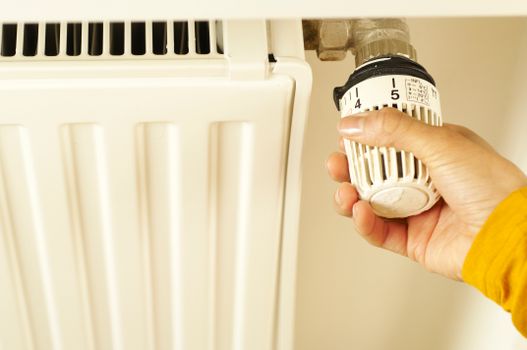
Optimal Winter Thermostat
Discover the ideal temperature to save energy and money