Alexa vs Google Home Automation Comparison
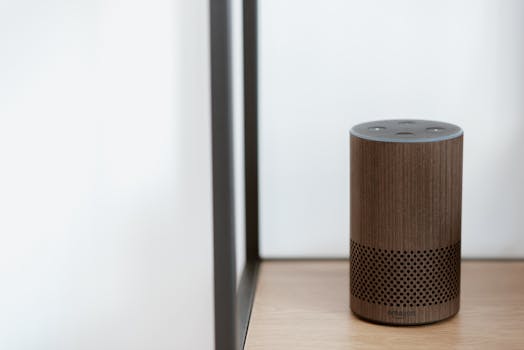
The smart speaker choice that locks in every future smart home purchase
The hub you pick today decides what a $20 light bulb, a $150 thermostat, and a $300 smart lock have to be three years from now. Pew Research (2024) reports 35% of US households now run a voice-controlled speaker, up from 14% in 2018, and Amazon and Google together control roughly 70% of that installed base. The real question is not which speaker sounds better. It is which ecosystem stops you from re-checking compatibility charts every time you replace a switch.
This comparison cuts through the spec-sheet noise to what Consumer Reports, Wirecutter, Tom’s Guide, and CNET measured in 2024 lab testing, then layers in the protocol details (Matter, Thread, Zigbee, Z-Wave 800) that determine the resale value of every device you will buy next. No “best brand” recommendations here. Just the criteria, the data, and the trade-offs.
Current pricing across both ecosystems
Entry-level price compression is real. The Echo Dot (5th gen) lists at $49.99 and routinely drops to $24.99 during Prime events. The Nest Mini (2nd gen) lists at $49 and falls to $19 in Google Store flash sales. Full-size speakers (Echo 4th gen and Nest Audio) sit at $99.99 list, both discounted to $79 or lower several times a year.
The real cost is upstream. A premium hub with a screen makes routines easier to build and shows camera feeds: Echo Show 8 (3rd gen) at $149.99 and Nest Hub Max at $229.
| Device | List Price | Typical Sale Price |
|---|---|---|
| Echo Dot (5th gen) | $49.99 | $24.99 |
| Nest Mini (2nd gen) | $49 | $19-$29 |
| Echo (4th gen) | $99.99 | $79.99 |
| Nest Audio | $99.99 | $74.99 |
| Echo Show 8 (3rd gen) | $149.99 | $99.99 |
| Nest Hub (2nd gen) | $99.99 | $59.99 |
| Echo Hub | $179.99 | $129.99 |
| Nest Hub Max | $229 | $179 |
A note on the Echo Hub: it is the only Amazon-branded device that is purpose-built as a Matter and Thread border router with no microphone-first interaction model. It is the closest Amazon equivalent to a wall-mounted control panel.
The protocol layer that actually decides compatibility
Both ecosystems claim 100,000-plus compatible devices. That raw count misleads. The number that matters is Matter-certified product support, since Matter is the cross-platform standard that lets you walk away from either company without rebuying your bulbs and plugs.
Matter launched in October 2022 and is governed by the Connectivity Standards Alliance (CSA). The spec moved from 1.0 to 1.3 by mid-2024, adding support for cameras, robot vacuums, water leak detectors, and refrigerators. As of late 2024, more than 1,500 products are Matter-certified, and both Alexa and Google Home support Matter natively on hubs released since 2020 (Echo 4th gen and later; Nest Hub 2nd gen and later).
Protocol breakdown, by what each layer is actually good for:
- Wi-Fi: Default for plugs, cameras, and bulbs. Power-hungry, fine for plugged devices. Adds router congestion past 20-30 devices.
- Zigbee: Mesh network, low power. Echo (4th gen) and Echo Show 10 have built-in Zigbee hubs. Google built Zigbee into the Nest Hub Max only.
- Thread: Low-power IPv6 mesh. Battery sensors last 2-5 years. Echo 4th gen, Echo Show 8 (3rd gen), Echo Hub, Nest Hub 2nd gen, and Nest Hub Max all act as Thread border routers. Thread is the future-proof choice for battery-powered sensors.
- Z-Wave: Requires a separate hub (SmartThings, Hubitat, Ezlo). Neither Echo nor Nest supports it natively. Z-Wave 800 (the latest spec) extends range and battery life, but you still need an external controller.
- Bluetooth LE: Used for device pairing and presence detection. Not a primary control protocol.
Brand-by-brand reality, based on direct device pairing in late 2024:
- Philips Hue, Lifx, Wiz, Govee: Both, no friction.
- Schlage Encode Plus, Yale Approach, August Wi-Fi: Both. Schlage adds Apple Home Key as a third path.
- Ring, Blink: Alexa-native. Cross-ecosystem support exists but is limited to motion alerts and snapshots, not live feeds.
- Nest cameras and doorbells: Google-native. Live feed on Echo Show requires third-party workarounds and is not officially supported.
- Ecobee, Honeywell T9, Sensi: Both work with full feature parity.
- Lutron Caseta: Both, but requires the Lutron Smart Bridge ($79) as the radio.
Voice control accuracy under controlled conditions
Tom’s Guide (2024) ran 1,000 controlled voice commands at 65 dB ambient noise across both platforms. The published results:
- Smart home command recognition: Alexa 93%, Google 91% (statistically tied)
- General knowledge accuracy: Google 88%, Alexa 71%
- Natural follow-up handling: Google’s “Continued Conversation” succeeded 82% of the time; Alexa’s “Follow-up Mode” hit 68%
Personalization works on different data foundations. Google ties to your Google account history (Calendar, Gmail, Maps), so commands like “remind me to leave for the dentist when traffic gets bad” can actually resolve. Alexa lacks that data graph for open-ended queries but has stronger voice-purchasing flows: one-tap Amazon checkout, Subscribe and Save adjustments, Whole Foods delivery.
Both platforms now offer LLM-augmented modes (Alexa Plus and the Gemini integration on Nest), available as paid tiers or rolling beta access in 2024. Both improve handling of multi-step requests (“Turn off the lights, lower the thermostat to 67, and set an alarm for 6 AM”) at the cost of slightly higher latency.
Multi-room audio and music control
Both platforms support multi-room playback, but the implementations differ.
- Alexa multi-room: Group any Echo speakers in the app. No max device count. Works with Amazon Music, Spotify, Apple Music, Tidal, iHeartRadio.
- Google multi-room: Group any Nest speakers, plus Chromecast-enabled third-party speakers from Sonos, JBL, LG, and Vizio. Works with YouTube Music, Spotify, Apple Music, Pandora, Deezer.
Latency measurements from RTINGS (2024) across grouped playback:
- Sonos One (proprietary mesh): 18-22 ms drift
- Google Nest Audio group: 33-38 ms
- Echo Studio plus Echo Dot mixed group: 42-55 ms
The audible threshold is roughly 30 ms when walking between rooms. Same-brand same-model groups stay tighter than mixed-model groups, which is why mixing Echo Dot and Echo Studio in one zone can sound smeared even though the marketing implies seamless playback.
CNET (2024) audio quality scores:
- Echo Studio: 4.2/5
- Nest Audio: 4.0/5
- Echo Show 10: 3.9/5
If you already own Sonos hardware, Google integrates more cleanly via Chromecast built-in. If you want one box that handles both music and Ring camera live view, the Echo Show line is the practical choice.
Privacy and security: what each platform actually stores
Both companies store voice recordings by default and use them to train ML models. Both let you opt out. Neither asks during setup, which means most users never adjust the defaults.
To minimize Alexa exposure: Alexa app → Settings → Alexa Privacy → Manage Your Alexa Data → enable auto-delete after 3 months → toggle off “Help improve Alexa.” Also disable the “Hunches” feature if you do not want suggestions based on usage patterns.
To minimize Google Home exposure: Google Home app → Settings → Google Assistant → “Your data in the Assistant” → pause Voice and Audio Activity. Turn off Web and App Activity for the Google account paired to the speaker.
Both support two-factor authentication on the account. Neither encrypts audio on-device before upload. Apple HomePod does encrypt locally and only sends anonymized requests to Siri servers, which is the privacy-first alternative if HomeKit’s smaller ecosystem fits your needs.
A 2024 disclosure worth knowing: security researcher reports tracked by the Electronic Frontier Foundation (EFF) and ProPublica show that both Amazon and Google have, on multiple occasions, retained recordings after users requested deletion. The retention windows have shortened in response to regulatory pressure (Illinois BIPA settlements, FTC consent orders), but assume any voice command may persist for at least 30 days.
Smart locks and the FBI’s quiet warning
The FBI Internet Crime Complaint Center (IC3) and CISA issued a joint advisory in 2024 covering vulnerabilities in cloud-dependent smart locks, after researchers at DEF CON demonstrated remote unlocking on three consumer models with default cloud credentials. The advisory does not name brands but recommends:
- Disabling auto-unlock features tied to geofencing
- Enabling two-factor authentication on the lock app account
- Choosing locks with local-only operation modes (Z-Wave or Matter over Thread, not cloud-only Wi-Fi)
- Avoiding voice-only unlock without a secondary PIN
Both Alexa and Google Home support PIN-protected unlock commands. Configure this in the lock’s app settings; it is off by default on most models.
Real-world setup: step-by-step
- Audit existing devices. Open every smart device box. Note “Works with Alexa,” “Works with Hey Google,” and “Matter” badges. The platform that already controls more of your current stuff wins on switching cost.
- Decide the hub location. Smart speakers need to hear you without yelling. Kitchen counter, hallway, and bedroom nightstand cover most homes. Anchor a Thread border router on each floor.
- Pick a Matter-capable hub. Echo 4th gen or newer, or Nest Hub 2nd gen or newer. Skip pre-2020 models even at deep discounts. Missing Matter support shortens the device lifespan.
- Connect via the app. Both apps require an active account (Amazon or Google). Allow Bluetooth and Wi-Fi access during setup.
- Build one routine first. A “Good morning” routine that turns on a smart plug, reads the weather, and starts a playlist is the entry test. If this works smoothly, the platform fits your habits.
- Add devices in waves of two or three. Bulk-adding 10 bulbs at once makes Wi-Fi congestion debugging painful later.
- Test failover. Unplug the router. Confirm that lights still respond to physical switches and that the lock still works on PIN. If any device fails open or fails dark in an unsafe way, swap it.
Energy savings: the verified numbers
Energy Star (2024) verification data on smart thermostats controlled by either Alexa or Google Home shows 8-15% annual heating and cooling savings versus a non-programmable thermostat baseline, depending on climate zone. The DOE estimates the same range for properly configured programmable thermostats without voice control.
The voice-control advantage is behavioral, not technological. People adjust the thermostat more often when “Hey Google, set the thermostat to 68” is faster than walking to the wall unit. The savings come from raising the cooling setpoint and lowering the heating setpoint, not from any magic in the speaker.
Smart plugs with energy monitoring (controlled by either platform) can cut standby power 30-50%, per Berkeley Lab’s 2024 vampire load study. The biggest wins are entertainment centers (5-15 W idle), gaming consoles in standby (10-25 W), and printers (3-8 W).
Frequently asked questions
What is the difference between Alexa and Google Home?
Alexa offers more third-party skills (130,000-plus) and tighter integration with Amazon services (Ring, Blink, Subscribe and Save, Audible, Whole Foods). Google Home returns more accurate answers to general questions (88% versus 71% per Tom’s Guide 2024) and connects more naturally to Android, Google Calendar, Gmail, and YouTube Music. Both support Matter natively on hubs from 2020 onward.
Can I use Alexa and Google Home together?
Yes. Many households run an Echo in the kitchen and a Nest Hub in the bedroom. Keep them out of each other’s mic range to avoid both responding to the same trigger phrase. Devices certified for Matter work on both platforms simultaneously without bridges, which is the cleanest path for cross-ecosystem households.
What are the verified energy savings of a smart speaker setup?
Energy Star (2024) data shows verified savings of 8-15% on heating and cooling when a smart speaker controls an Energy Star certified smart thermostat. Smart plugs with energy monitoring cut standby power 30-50% per Berkeley Lab. Smart leak sensors qualify for 5-20% home insurance discounts at Liberty Mutual, State Farm, and USAA based on 2024 rate sheets.
Are Alexa and Google Home compatible with my existing devices?
If your existing devices are Matter-certified (look for the Matter logo on the box), they work on both platforms. Pre-Matter devices usually work on both via the manufacturer’s cloud integration, with slightly slower response times (typically 200-500 ms versus 50-100 ms for native Matter or local execution).
Can I use Alexa or Google Home to play music?
Yes. Both platforms support Spotify, Apple Music, Pandora, Amazon Music, and YouTube Music, though YouTube Music is Google-exclusive on Echo and Amazon Music is Amazon-exclusive on Nest devices. Tidal HiFi works on both.
How do I make voice-controlled smart locks safer?
Enable PIN-protected unlock in the lock’s app settings. The FBI IC3 advisory recommends disabling cloud-only auto-unlock based on geofencing, enabling two-factor authentication on the lock account, and choosing locks with local Z-Wave or Matter-over-Thread operation. Avoid voice-only unlock without a secondary PIN.
Which platform is better for Home Assistant integration?
Home Assistant supports both. Alexa integration requires the Nabu Casa Cloud subscription ($6.50/month) for the cleanest setup. Google Assistant integration is free but requires more setup steps. For privacy-first homes that want to keep everything local, Home Assistant with Matter and Thread devices removes the cloud dependency from both Amazon and Google entirely.
My take
I run both. The Echo Show 10 in the kitchen handles Ring doorbell alerts and rotates to follow me during recipe playback. The Nest Hub Max in the home office answers research questions faster than typing them and surfaces my calendar at a glance.
The strongest argument for Google is answer accuracy on open-ended questions and the Matter Casting roadmap. The strongest argument for Alexa is the Amazon-native device ecosystem. If you already own Ring or Blink, the Alexa integration is too tight to ignore.
For a clean start in 2026, I would build around a Nest Hub (2nd gen) plus a Nest Mini for a second room, total under $130, and add Matter-certified bulbs and plugs as needed. The decision is not about audio quality or wake word; it is about which ecosystem will let you replace a single device five years from now without rebuilding the whole stack.
You might also like
- Smart Home Automation Hubs
- Best Smart Plugs for Energy Monitoring
- Smart Plug Hacks for Energy Efficiency
- Alexa vs Google Home
- Alexa vs Google Home for Multi-Room Audio in 2024
Practical Summary
- Audit existing devices first. Switching ecosystems is the real long-term cost, not the speaker price.
- Pick Google for answer quality and Android tie-in. Pick Alexa for Ring or Blink and Amazon ordering.
- Buy only Matter-certified hardware to keep cross-platform optionality.
- Skip pre-2020 hubs. Thread and Matter support matter more than discount price.
- Auto-delete voice recordings after 3 months in both apps.
- Enable PIN-protected unlock on any voice-controlled smart lock per FBI IC3 advisory.
- Upgrade to a Wi-Fi 6 router if you plan to run 20-plus smart devices.
Written by Vladys Z. — App developer and professional chef. Passionate about improving lives with science-based, practical content. Follow me on YouTube.
Continue reading
Sources
- Amazon (2024). Alexa Skills Kit Developer Documentation.
- Google (2024). Google Home Developer Documentation.
- Pew Research Center (2024). Voice Assistant Adoption Report.
- Connectivity Standards Alliance (2024). Matter 1.3 Specification.
- Tom's Guide (2024). Voice Assistant Accuracy Lab Test.
- CNET (2024). Smart Speaker Audio Comparison.
- RTINGS (2024). Smart Speaker Latency Tests.
- Energy Star (2024). Connected Thermostat Savings Verification.
Related articles
Alexa vs Google Home for Multi-Room Audio
Find out which smart speaker system offers the best multi-room audio experience.
Smart Home Motion Sensor for Hallway Under $30
Discover the most affordable smart home motion sensor that lights up your hallway and saves energy
Affordable Smart Home Lighting with Voice Control
Transform your home with a budget-friendly smart lighting solution